A TOWN WITH A TAP.
TSUMIMACHI is a construction and town-building simulation played with a tap. Through this project, we wanted to express an approach to UI that people of different ages and languages could enjoy by looking and interacting.
More rules to remember, another goal urging you forward. We wanted some distance from that kind of play and to make something simpler to enjoy. Tap, and construction moves ahead: workers and machines get to work, and a town gradually takes shape. That idea guides TSUMIMACHI’s concept and design.
For this project, we use AI to organize specifications and implement code, and build the game in Unity. We decide what kind of work we want to make and what we want people to enjoy. AI helps us turn those intentions into specific screens and movements.
SIMPLE CONTROLS. A WORLD TO WATCH.
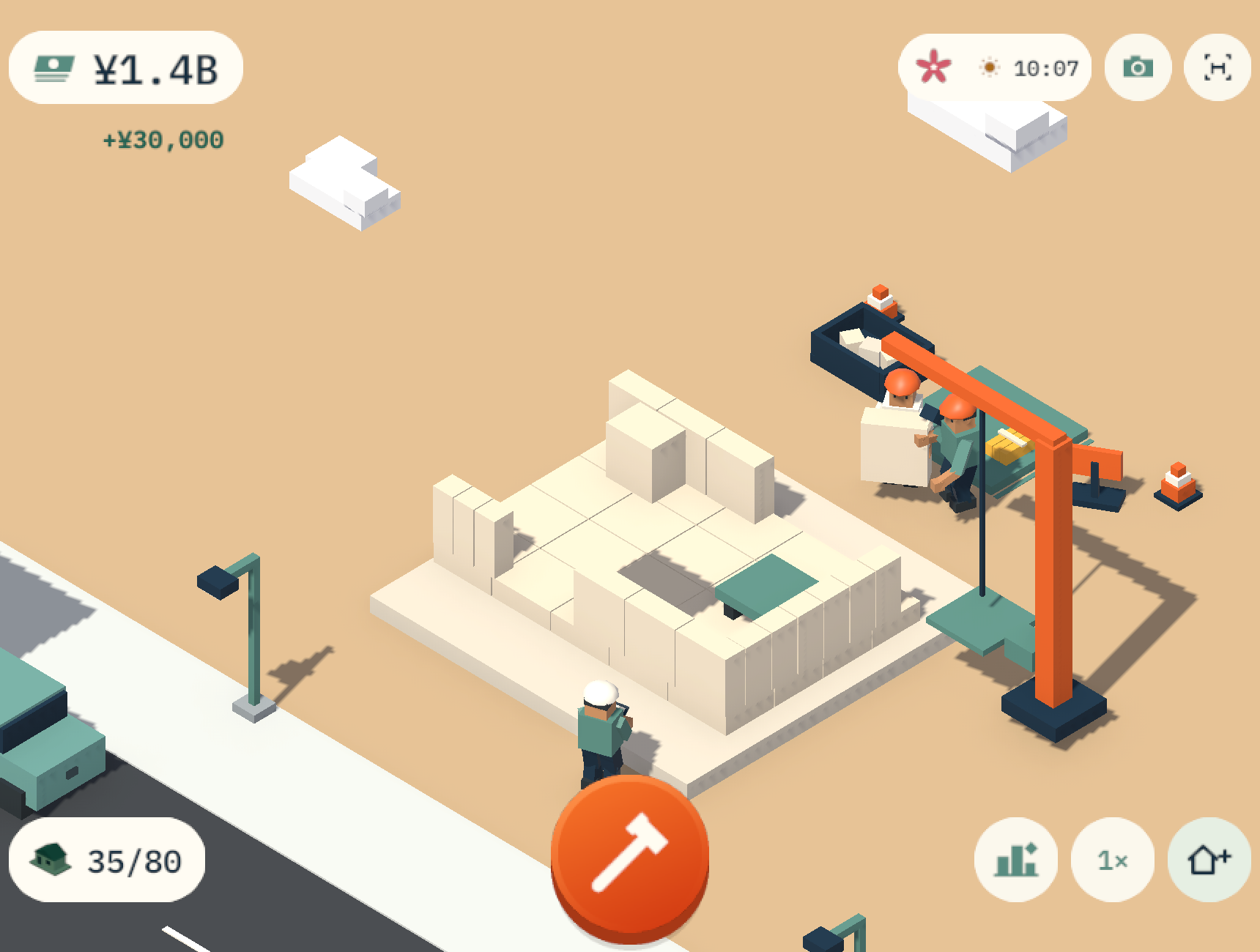
Keeping town-building as simple as tapping does not mean the world on screen has to be simple too. In TSUMIMACHI, we work on the details of construction and everyday life in the finished town.
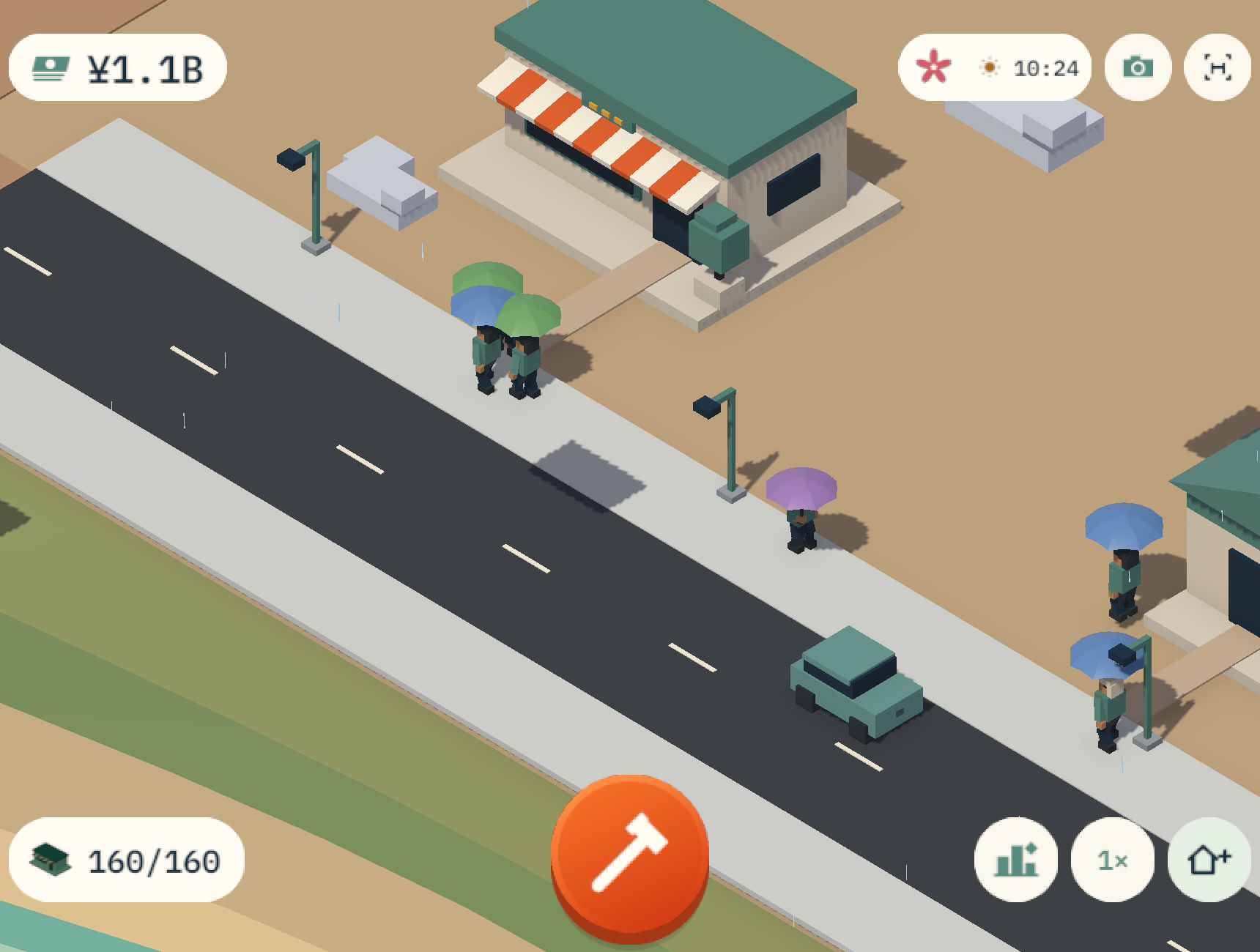
Trucks bring materials, excavators dig, workers carry parts, and cranes lift roofs into place. Once buildings are complete, buses and trains run and people stroll through parks. We wanted the game to remain enjoyable to watch even when you are not constantly interacting.
During development, we revised an animation that threw parts into place. Now parts are carried by hand, moved on carts or installed by crane. The time before a building is finished is part of the game, so we want people to be able to see what is being built and how.
UI ACROSS LANGUAGES.
Fewer controls alone do not make a screen clear. Where should you tap? What changed afterward? What can you do next? We give information and actions clear priorities so that sequence can be understood.
When construction runs short of funds, for example, changes in the budget display and control animation signal the situation. Before adding more explanatory text, we consider whether the change on screen can communicate what is happening. The aim is a design that children and adults can enjoy across languages.
You can choose buildings and arrange your town yourself, or leave it to Auto and watch. You can also invite family members to take turns working on the same town from their own devices. Letting people choose how they want to participate matters to this game’s design.
FROM INTENT TO IMPLEMENTATION.
We make deliberate decisions about TSUMIMACHI’s concept, appearance and play. We use AI to organize those decisions into specifications that can be implemented and to write the code.
Even an idea like making construction enjoyable to watch needs specifics before it can be implemented. Where do workers collect materials? Do they carry them or lift them with a machine? What movement remains visible until installation is complete? We work through these details and check them in motion in Unity.
After using AI for implementation, we still try the game ourselves and revise anything that feels wrong. Alongside whether the code runs, we check whether movement feels natural, controls communicate clearly and the game is enjoyable to watch. Those repeated decisions give TSUMIMACHI its concept and design.
DESIGN EXPERIENCE AND JUDGMENT.
Even when AI can help produce screens and features, many questions about usability and design remain. Can people find the information they need? Does the sequence of actions make sense? Can they recover from a mistake? Appearance alone cannot settle these questions.
We have designed interfaces for watches, musical-instrument apps and the web, each with different contexts of use. What takes priority on a small screen? What needs to remain visible during an action? We draw on that experience when judging TSUMIMACHI’s design and our AI-assisted development work.
Making our instructions to AI concrete, and checking the result from the perspective of the person using it: we feel our production experience informs both.
BEYOND GAMES.
This way of working extends beyond games. For business applications and web services, we first clarify who will use them, in what situation, and what would help. We then prototype screens and features, check how they work in practice and bring AI into development.
Some companies want to use AI in their work but are unsure where to begin. Others have a prototype but lack confidence in its usability or design. We would like to work with those companies to make useful things together.
At Flatbitstudio, our own development work and experience in UI/UX and product design inform everything from organizing concepts to design, prototyping and development. Tell us about a new service you have in mind, or something that feels difficult to use in your daily work.